
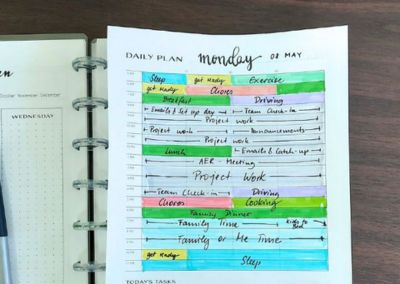

Time often feels short, and distractions and interruptions don’t help. Time blocking is a plain way to take back some control. This post covers what it is, how to start, and what to do when the plan falls apart.
What is time blocking?
Time blocking means dividing your day into blocks and giving each block a job. Instead of a list of things to do “sometime”, you decide when each one gets your attention.
Why use it?
Many people find it helps them see what matters, spend less time switching between tasks, and feel less rushed. Putting your priorities on the schedule first means they are less likely to get squeezed out.
How to get started
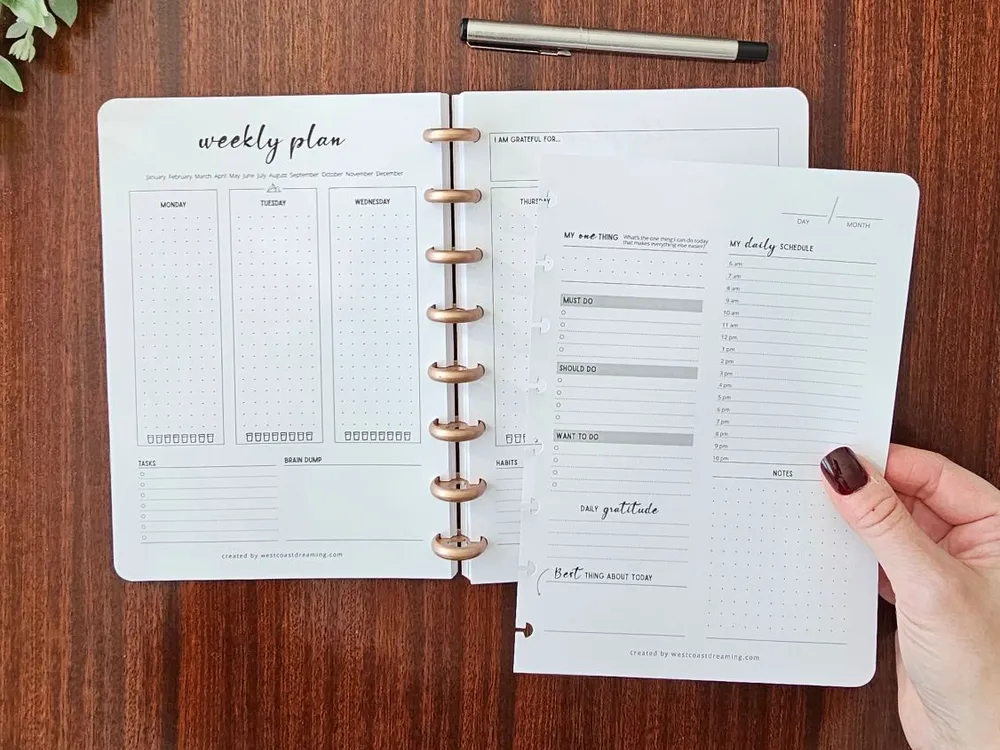
All you need is a calendar or planner and a willingness to adjust as you go.
- Set a goal for the day or week. It gives the blocks a direction.
- Pick your priorities. Decide which tasks come first. A good place to begin is your hardest task: see Eat the Frog.
- Break the day into blocks. Blocks of 15, 30 or 60 minutes are easy to manage. Write each one into your planner.
Tips for making it work
- Start small. Block one part of your day, not all of it.
- Build in breaks. They are part of the plan, not a lapse.
- Stay flexible. A plan you can adjust is a plan you’ll keep using.
- Review at the end of the day and move what didn’t fit.
Common challenges
Interruptions will happen. Be kind to yourself: you’re a person, not a schedule. Two things help:
- Plan for interruptions. Leave a block open for the unexpected, so surprises don’t push everything else out.
- Cut what you can. Turn off notifications or find a quieter spot during focused blocks.
It’s also common to underestimate how long a task takes. Until you know your own pace, block off more time than you think you need, and leave a little space between tasks. You can also add a “conditional block” you can use if you fall behind.
To learn your real pace, track how long a few regular tasks take over a week or two. A simple notes page or a time-tracking app will do. The numbers will make your next plan more realistic.
Two ways to go further
Once the basics feel comfortable, you can try:
- Batching. Group similar tasks, such as email or invoices, and do them in one block.
- Theme days. Give each day of the week a focus, and keep to that kind of work on that day.
Paper or digital?
Use whatever you’ll actually open. A digital calendar is good for reminders and shared schedules. A paper planner gives you a physical record, and many people find that writing a task down helps them remember it. Coloured pens or stickers can make the page easier to scan.
If your days feel more chaotic than a schedule can fix, the Chaos Quiz can help you see where the pressure is coming from.
How long until it helps?
It varies with your habits and your tasks. Expect an adjustment period at first. Give it a few weeks of honest tries before you judge it. Consistency matters more than getting every block right.
In short
Time blocking gives your day a shape. Start with one block, adjust as you learn, and keep what works. A plan that fits your life is worth more than a perfect one.